How AI document chasing works in a small business
Chris Tian ·
An AI document-chasing workflow keeps a checklist of what each client or job still owes you. It ticks items off as documents arrive and drafts reminders on a schedule your team sets. A person approves the reminders before they go out, and a person picks up the phone when chasing stalls. It suits firms that collect the same kinds of documents every week, such as statements, IDs, signed forms and contracts.
What the workflow does, step by step
- Builds the checklist for each client or job, from the job type or from last time's file.
- Sends the first request with the full list, in your words and under your name, once a person has approved it.
- Watches where documents arrive: the shared inbox, the client portal or a shared folder.
- Ticks items off and checks them. It flags a file that looks wrong, such as last year's statement, an unsigned form or a page that can't be read.
- Drafts the next reminder on schedule, listing only what is still missing.
- Waits for a person to approve the day's reminders. Only then do they go out.
- Files each document in the client folder and updates the tracker, so nobody has to remember who still owes what.
An example reminder rhythm
Here is a rhythm you can start from, with four points. Your team sets the real one, and it can differ by client or by deadline.
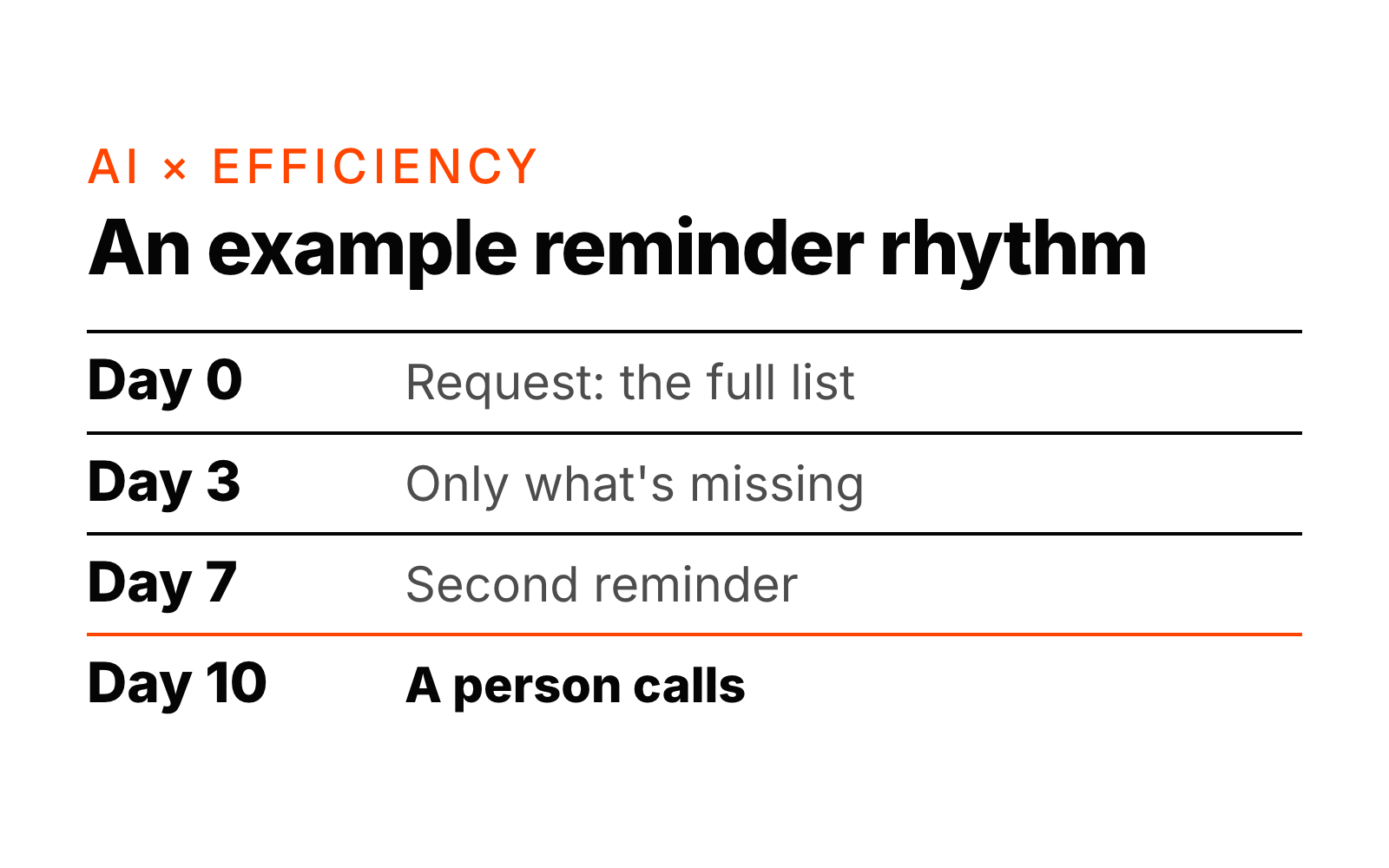
| Day | What happens | Who |
|---|---|---|
| 0 | Request with the full list | AI drafts, a person approves |
| 3 | Reminder listing only what is still missing | AI drafts, a person approves |
| 7 | Second reminder | AI drafts, a person approves |
| 10 | Still missing: a phone call | A person |
Each reminder lists only what is still outstanding, so the client sees a shorter list every time.
When to stop chasing
The workflow needs a rule for stopping as much as a rule for reminding. These are the stop rules to set up first:
- Everything is in: chasing stops, and the file is marked complete.
- The client replies with a question: reminders pause, and a person answers.
- No reply after two reminders: the workflow stops and asks a person to call.
- The job is cancelled or the deadline has passed: chasing stops, and a person decides what happens next.
A client who stays quiet after two polite emails usually has a reason. A phone call finds it faster than a third email.
What a person still does
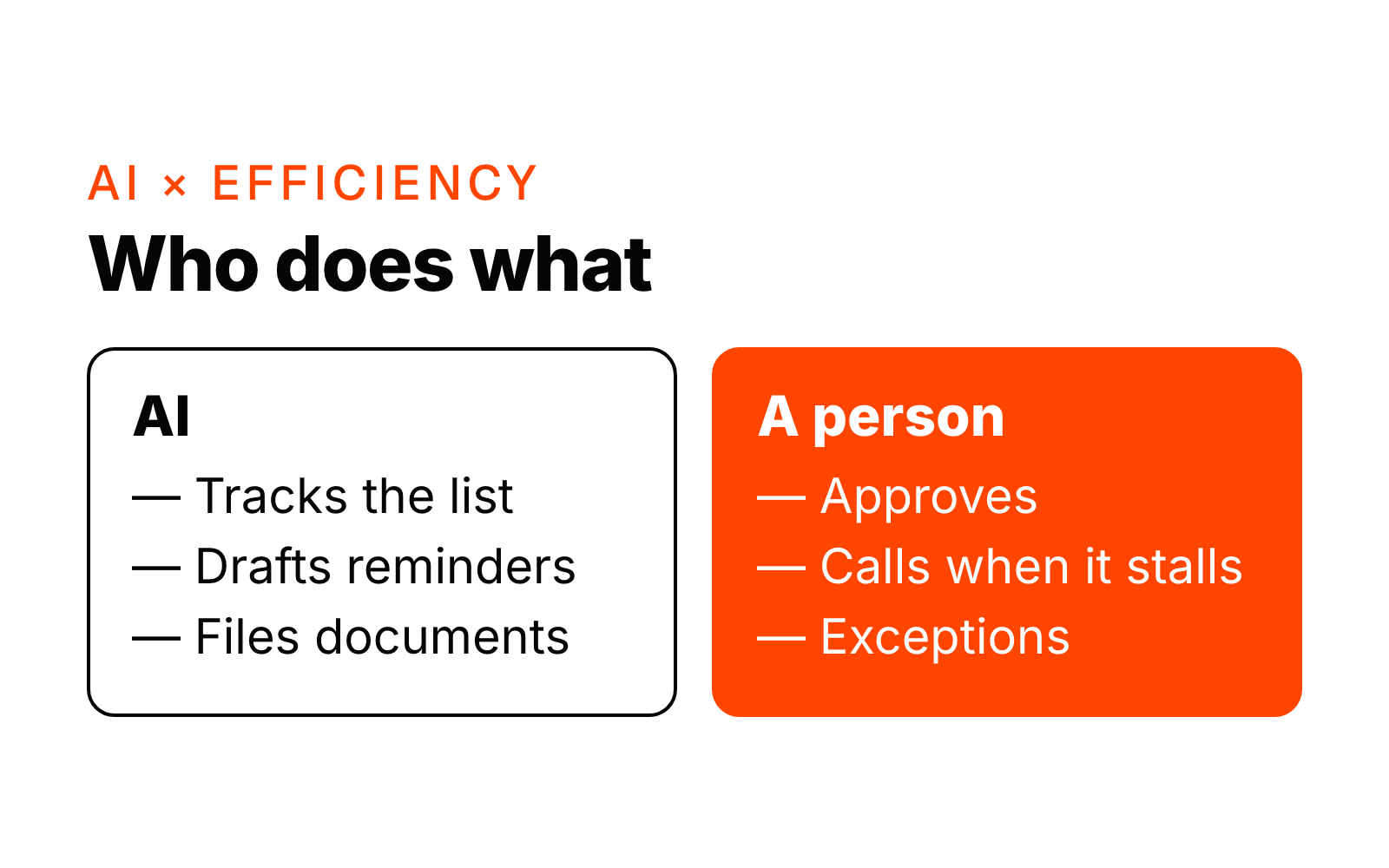
A person approves every reminder before it goes out, takes over when a client goes quiet or asks a question, and decides the exceptions: extensions, partial documents, or a client who needs a different approach. The workflow does the tracking, checking, drafting and filing.
Which tools it runs in
It runs in the tools you already use: Microsoft 365 or Google Workspace for email, your client portal or shared folders, and your practice management system or CRM. Client documents stay in the systems you have already approved. We don't ask you to move to a new platform.
How long it takes to build
Typically 2 to 4 weeks from the start of the build. The first week is spent with the people who chase documents today, writing down the checklists, the wording that works with your clients and the stop rules. We then build in your own tools and test on a small group of clients with the approval step on, before rolling it out.
When it is a good fit
- Your team requests the same kinds of documents every week or every season.
- Someone keeps a list of who still owes what, in a spreadsheet or in their head.
- Late or missing documents hold up work you could otherwise bill or finish.
When it isn't worth it yet
- You collect documents from only a few clients a month.
- Every request is different, and only the owner knows what to ask for.
- The team hasn't agreed what "complete" means for a file. Agree the checklist first; the workflow follows it.
What to measure
At launch we give you an estimate of the hours saved per week, based on how many clients you chase and how long each one took before. After that, watch three things: days from first request to a complete file, reminders sent per client, and files still incomplete at the deadline.
Next step
Chasing documents is one of the seven kinds of admin work in the AI hours check. It takes about 2 minutes and shows which kind takes the most hours in your team. See also how AI inbox and enquiry triage works, the tax-season checklist for accounting firms and AI × Efficiency.
Want to know where AI fits in your business? Ask Jarvis or book a free 20-minute intro call.